A note from 2026: This was my setup in 2023. Twitter is now X, and the API, IFTTT plan limits, and third-party tools have all changed since then. I’m keeping this here as a reference, not a current recommendation.
I wanted to keep people on both Mastodon and Twitter updated without writing every post twice.
There are tools like Moa and Crossposter. But these services are shutting down ever since Twitter decides to limit their API and start charging it.
Why not just “do it yourself” and use IFTTT? IFTTT free plan allows you to create 2 apps. Which is perfect for what we want to do here.
Prerequites:
- Setup an IFTTT free account
- Link up your Twitter account in IFTTT
- Generate a Mastodon token
- Buy me a 🧋 on Ko-fi
💡 Do not use both at the same time otherwise there’ll be a loop. Advanced setup is required for enable crossposting on both sides.
Setting up crosspost from Mastodon to Twitter
- Login to IFTTT and Create an Applet
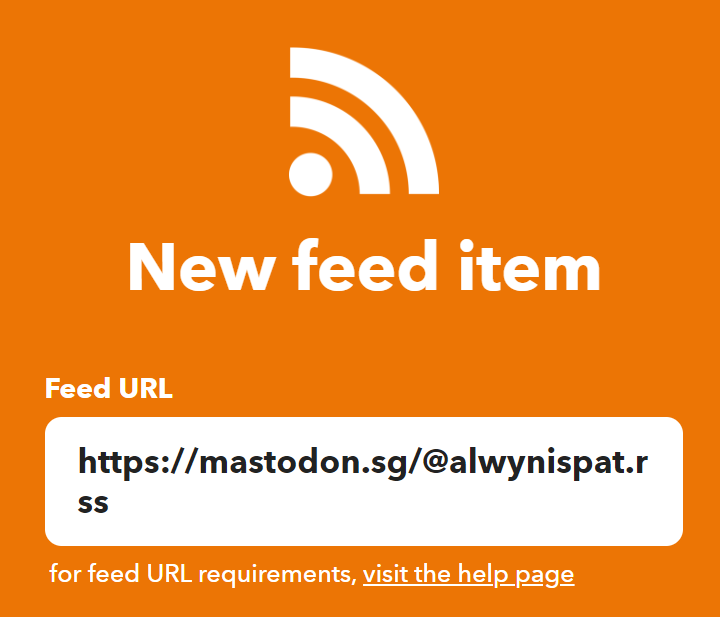
- For If, search for New Feed Item and the Feed URL would be your Mastodon profile with a .rss at the back, ie. https://mastodon.sg/@alwynispat.rss
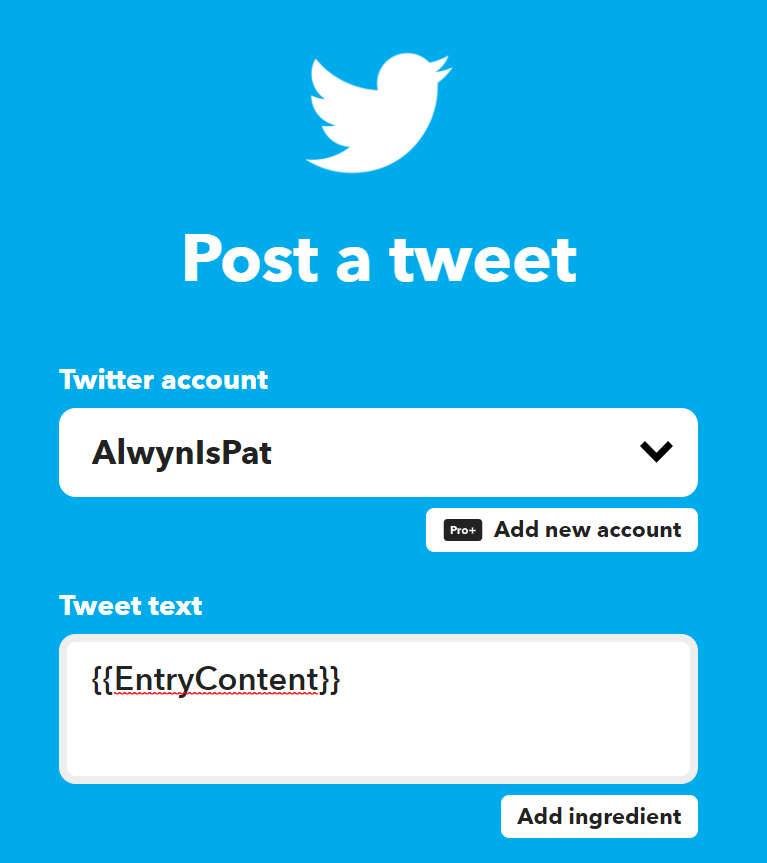
- For Then, search for Post a Tweet and select your Twitter Account, in the Tweet Text, enter {{EntryContent}}
- Save and that’s it!
Now when ever you post something on Mastodon, it’ll appear in Twitter within the hour.
Setting up crosspost from Twitter to Mastodon
-
Login to IFTTT and Create an Applet
-
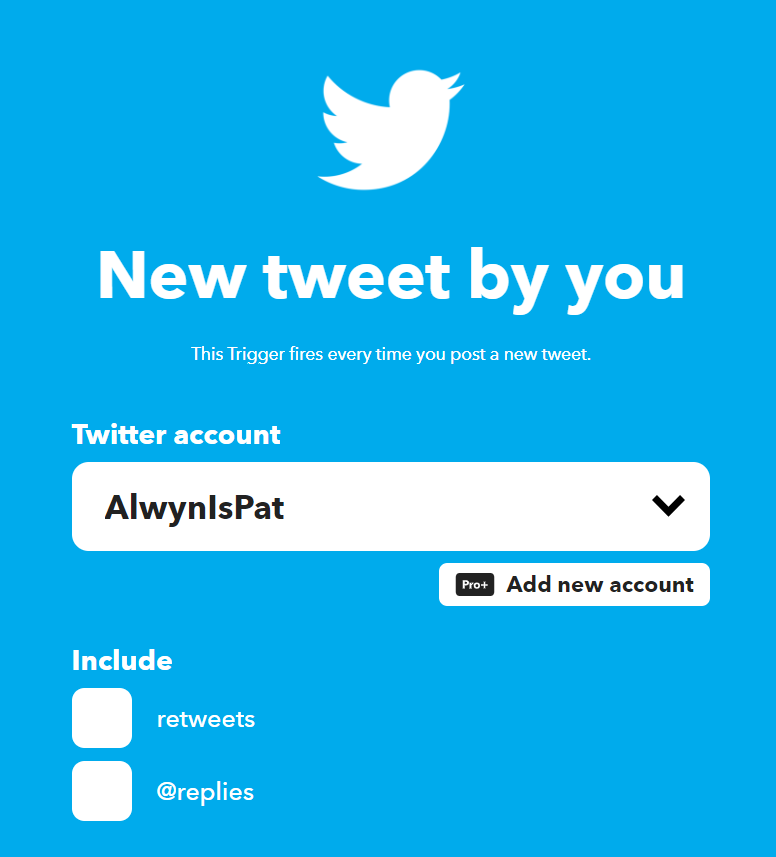
For If, search for New Tweet by You and select your Twitter Account.
Optional: include your Retweets or @Replies.
-
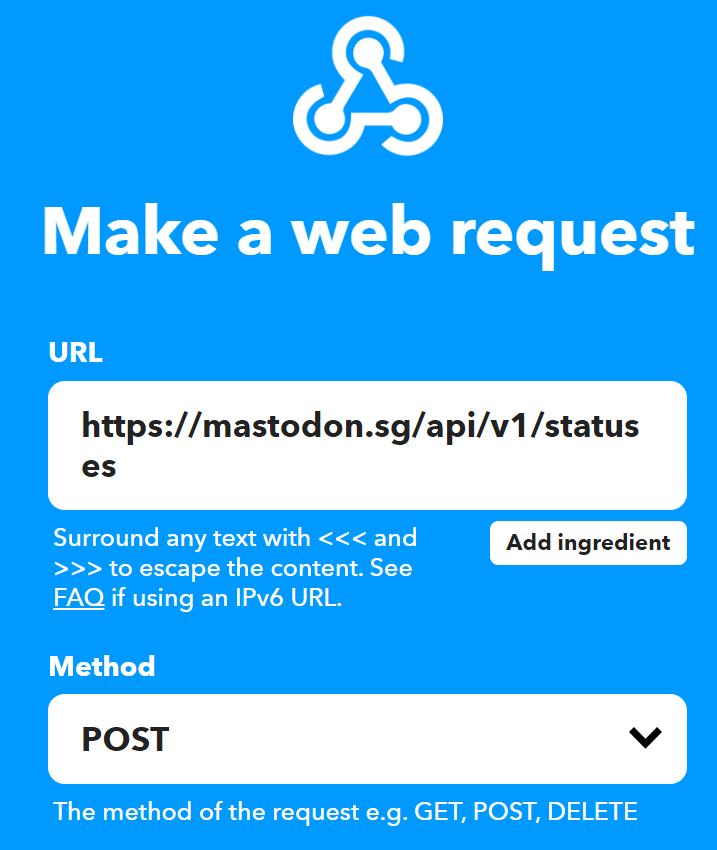
For Then, search for Make a Web Request.
-
URL: [Mastodon URL]/api/v1/statuses, ie. https://mastodon.sg/api/v1/statuses
-
Method: POST
-
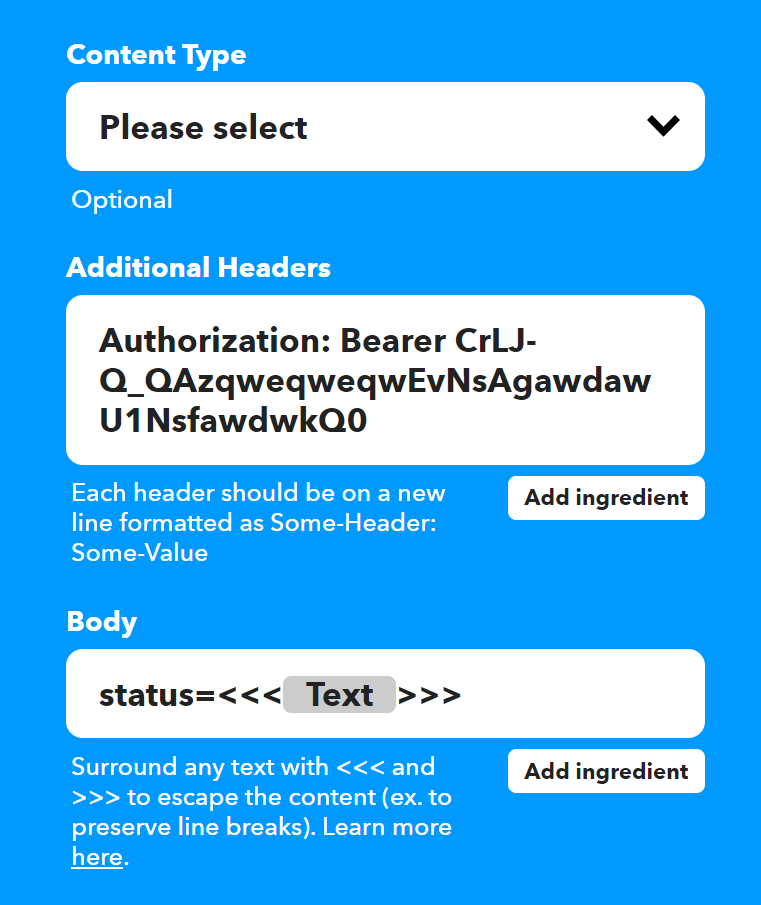
Additional Headers: Authorization: Bearer [Mastodon Token with write:statuses]
-
Body: status=«<{{Text}}»>
-
Save and that’s it!
Now when ever you post something on Mastodon, it’ll appear in Twitter within the hour.